

What is the transfer roller of a Xerox printer?

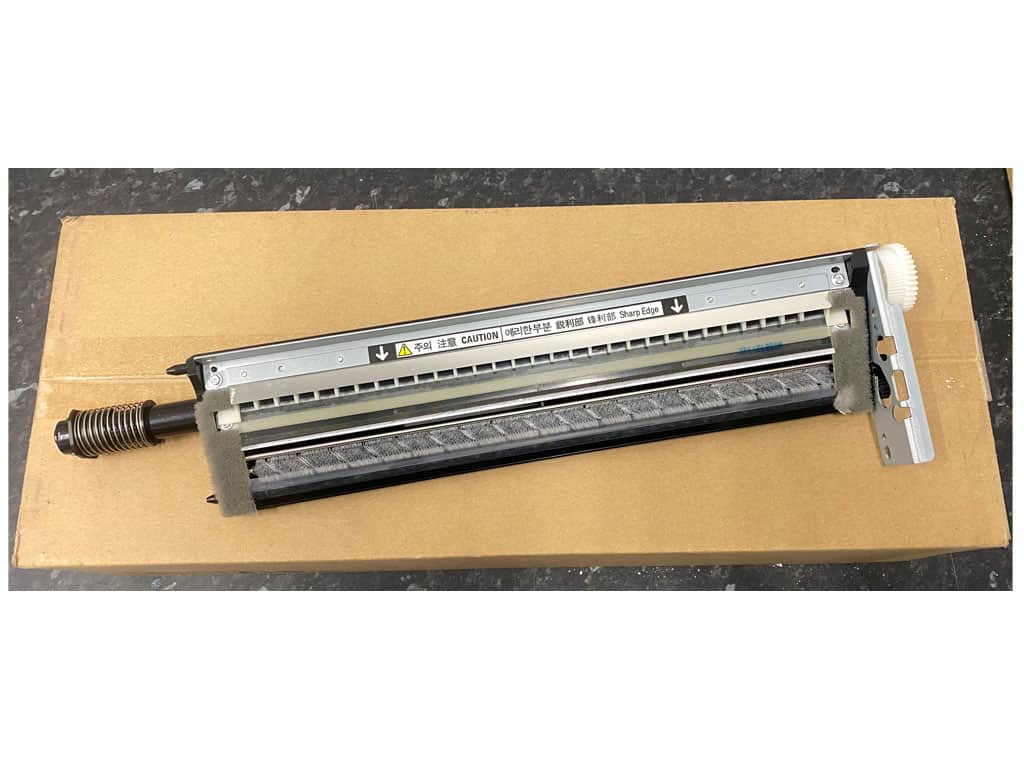
The transfer roller of a Xerox printer is a crucial component that plays a key role in the printing process. It is responsible for transferring the toner from the imaging drum to the print medium—usually paper.

Tasks of the transfer roller:

  1. Toner transfer: The main task of the transfer roller is to precisely and evenly transfer the toner applied to the imaging drum onto the print medium. The transfer roller uses electrostatic attraction to effectively transfer the toner onto the paper.
  2. Optimization of print quality: A well-functioning transfer roller contributes significantly to print quality. It ensures that prints are sharp, clear, and in the desired colors by guaranteeing an optimal and even distribution of the toner.
  3. Avoiding printing errors The transfer roller helps minimize printing defects such as banding or uneven toner transfer. This is particularly important for producing high-quality documents and graphics.
  4. Printing speed The transfer roller ensures an efficient printing process by enabling rapid toner transfer. This contributes to the high speed and productivity of Xerox printing systems.

The functionality of the transfer roller is essential for the overall performance of a Xerox printer. Regular maintenance and the timely replacement of the transfer roller are necessary to guarantee consistently high print quality and efficiency.

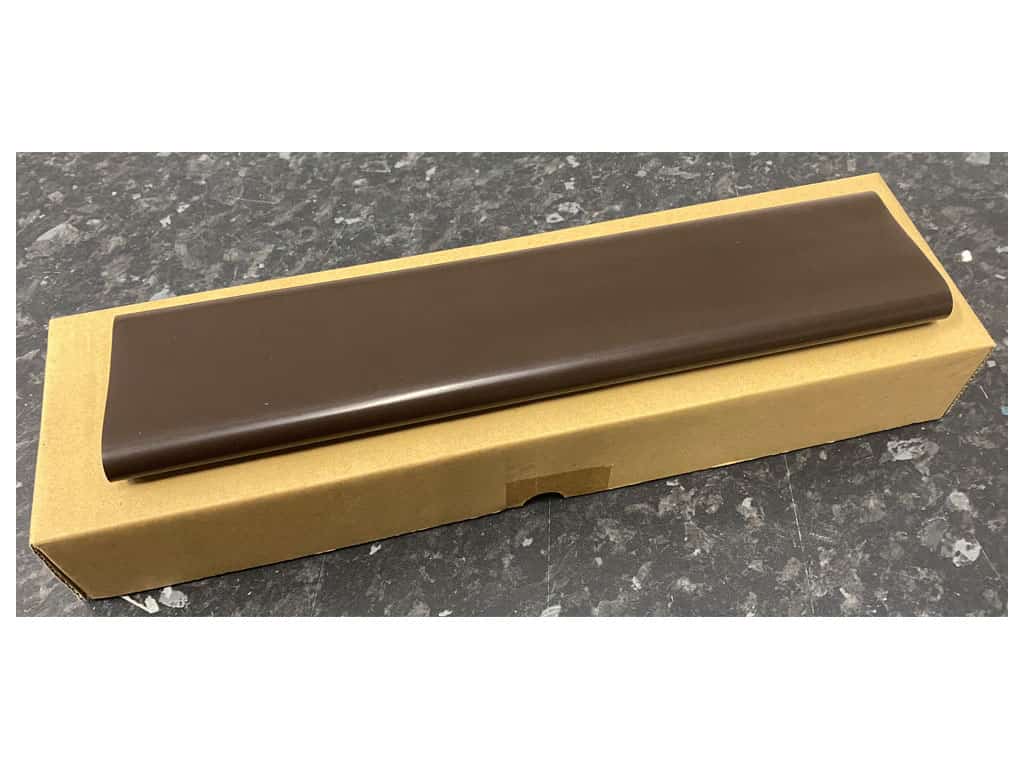
xerox-2ndbtr-workcentre-7120-7125-7220-7225-008r13086 Article Number: 059K68396

Image: Transfer roller Xerox VersaLink C7000 C7020 C7120

What is the transfer belt in a Xerox printer?

The conveyor belt (also Transfer belt) of a Xerox printer plays a central role in the printing process. This is a crucial element responsible for transferring toner onto the print medium, such as paper.

Function of the conveyor belt:

  1. Transfer of the toner: The transfer belt picks up the toner applied to the image drum and transfers it to the print medium. This is done through a contactless transfer process that ensures the toner is applied precisely and evenly to the paper.
  2. Optimization of print quality: A well-functioning transfer belt ensures that print results are sharp, clear, and color-accurate. It minimizes the risk of printing errors such as blurred or smeared prints.
  3. Printing speed The transfer belt also contributes to the efficiency of the printing process by enabling a fast and effective transfer of the toner. This supports the high speed for which Xerox printing systems are known.
  4. Maintenance and Lifespan: The maintenance of the transfer belt is crucial for the long-term performance of the printer. Wear or damage to the transfer belt can affect print quality, which is why regular checks and, if necessary, replacement are necessary.

Overall, the transfer belt is an indispensable component of a Xerox printer that significantly contributes to the high print quality and efficiency of the entire system.

Conveyor belt 7830 c8030 dc2xx Item No.: 675K72181 / 064K93623

Image: Transfer Belt Xerox 7530 7830 C8030

The belt cleaning unit of a Xerox printer is a component responsible for removing excess toner and debris from the transfer belt. This ensures that subsequent printing is clean and of high quality.

The belt cleaning unit (also belt cleaner, belt cleaner unit, transfer belt cleaner, IBT belt cleaner unit) of a Xerox printer is an essential component of the printing system, ensuring that the transfer belt operates efficiently and without contamination. This unit is specifically designed to clean the transfer belt of debris, excess ink, or toner that may accumulate during the printing process.

Function of the belt cleaning unit:

  1. Cleaning the print ribbon: The belt cleaner unit removes deposits that accumulate on the surface of the print belt, thereby ensuring consistent print quality.
  2. Avoiding printing errors By cleaning the belt, the unit helps to prevent print defects such as streaking or blurred outlines.
  3. Optimization of Printing Performance: A clean printhead cleaner unit supports the printer's overall performance by extending the lifespan of the print ribbon and increasing the efficiency of the printing process.
  4. Maintaining print quality: By regularly cleaning the print belt, the unit ensures that the prints consistently meet high quality standards.

Overall, the belt cleaner unit is crucial for the long-term functionality and performance of a Xerox printer, as it significantly influences the quality of the print results.

Xerox DC2xx/5xx/700/770/C60/C70/C75/J75 Drum Cleaning Unit Art. No.: 042K94561

Image: Fuser Cleaning Unit Xerox DC2xx/5xx/700/770/C60/C70/C75/J75

What consumables does a Xerox printer use?

A Xerox printer requires various consumables to ensure optimal print results. Among the most important consumables are:

  1. TonerHigh-quality toner determines print quality. Xerox offers original toner specifically developed for the respective printer models. This allows you to achieve optimal print quality and the highest page yield.
  2. Print mediaThis includes various paper types, such as plain paper, matte or glossy papers, heavy papers, and special print media for professional applications. The choice of the right print media affects the print quality and the longevity of the prints.
  3. DrumMost printers use a separate drum unit, but some A4 devices also use a so-called print cartridge (toner and drum in one module). These are responsible for the printing process and must be replaced regularly.
  4. Fuser Unit The fuser unit is an important component that fuses the toner to the paper. This also needs to be replaced once the fuser unit is worn out.
  5. Cleaning unitsThese components ensure that the printer stays clean and print quality remains high by removing excess toner and debris.

For the long-term and flawless use of your Xerox printer, please use original accessories and consumables, as these are precisely tailored to the specific requirements of the respective models.

What is the developer unit of a Xerox printer?

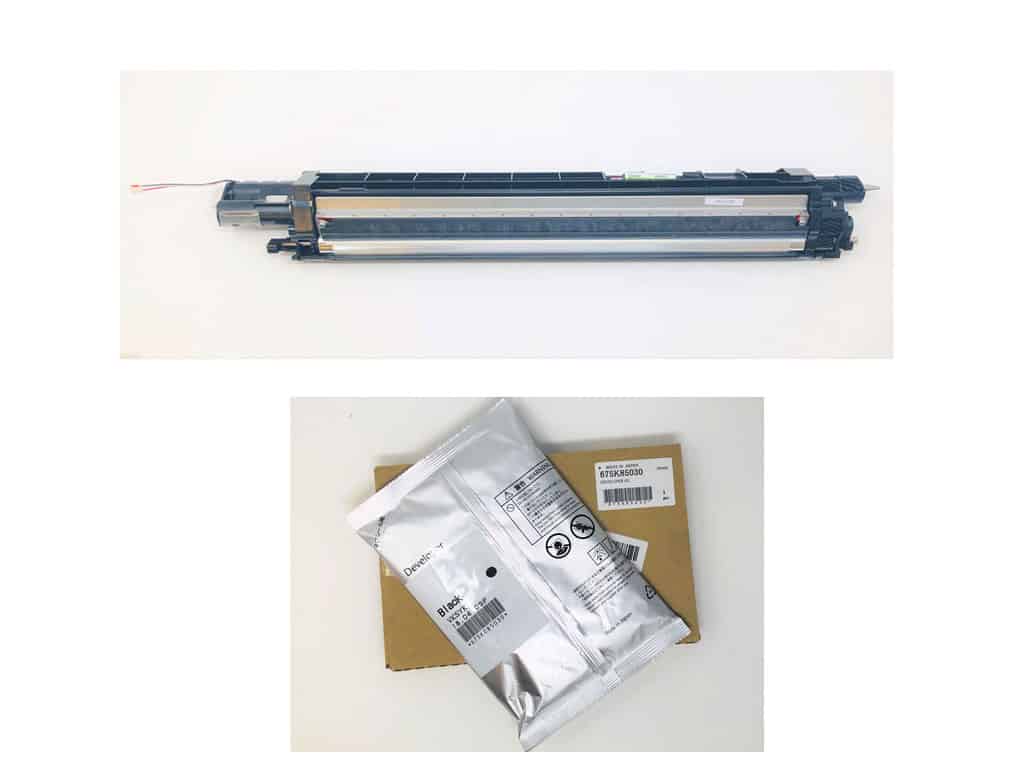
A developer unit of a Xerox printer is a central component in the printing process, responsible for creating the print image. It contains the development mechanism that transfers the toner powder onto the paper.

The developer unit works in conjunction with the photoconductor drum, transferring the toner to the areas that have been exposed by the laser light. This process is crucial for the quality and precision of the printed documents. Depending on the model, the developer unit can be installed as a separately replaceable component (only in Xerox A3 printing systems, where the developer itself must also be replaced) or as part of a disposable toner cartridge. The developer unit in a disposable toner cartridge is therefore automatically replaced every time the toner is replaced. Some Xerox A4 printing systems feature permanent developer units; these are designed for the entire life of the printer and generally do not need to be replaced.

Regular maintenance and the timely replacement of the developer unit are of great importance for the smooth operation of the printer and to ensure high-quality print results.

Art. Nr.: 607K07290 Xerox Developer Unit Black C7000

Image: Developer unit with Developer box CMYK Xerox C8030 (top) and Developer black Xerox 7530 7830 C8030 (below)

What is the fuser unit in a Xerox printer?

The fuser unit of a Xerox printer plays a crucial role in the printing process. It is responsible for permanently bonding the toner particles applied to the paper to the paper by applying heat and pressure. Here are some key points about the fuser unit and its importance:

Function of the fuser unit:

  • Toner fixingBy heating the toner particles, they are melted and bonded to the paper surface. This typically happens between two heated rollers that guide the printed sheet through the fuser unit.
  • Prevent BlurringA properly functioning fusing unit ensures that the printed materials are fixed in place and prevents them from smudging or peeling.

Function of the fixing unit:

  • Print qualityThe fuser unit has a direct impact on the quality of the print results. A faulty fuser unit can lead to blurred prints or insufficient toner adhesion.
  • Print product durabilityDue to the correct fixing, the durability and resistance of the printed products against external influences such as moisture and friction increase.
  • Cost-effectivenessA well-functioning fuser unit minimizes paper waste and other costs that can be associated with faulty prints.

Overall, the fuser unit is an essential component of a Xerox printer, which is of great importance for ensuring print quality and efficiency. It is recommended to maintain it regularly and replace it if necessary to ensure the continuous high performance of the printing system.

Fuser Unit Xerox C8030/C8035 Art. No.:604K62220/604K62230

Image: Fuser Unit Xerox 6510/6515

What is the belt unit of a Xerox printer?

The Exposure unit A Xerox printer's drum plays a crucial role in the printing process. It is responsible for transferring the image or text onto the photoconductor material by sending laser beams to the surface. This process occurs in several steps:

  1. ChargeThe Exposure unit charges the photoreceptor surface negatively.
  2. ExposureLaser beams illuminate specific areas of the photoconductor, neutralizing the negative charge in these zones.
  3. Image transmissionToner powder is applied to the photoconductor. The toner adheres to the exposed areas due to electrostatic attraction, while it is repelled in the unexposed areas.
  4. FixationThe toner is subsequently transferred to the print medium and fixed by heat and pressure.

A well-functioning Exposure unit is of great importance for print quality for several reasons:

  • Image qualityPrecise exposure ensures sharp, clear prints without blurring or streaking. This is particularly important for professional printing applications where visual impact is crucial.
  • Color accuracyIn color printing, flawless exposure enables colors to be reproduced accurately, which is essential for marketing materials and other professional documents.
  • Operational optimizationA Exposure unit, which works efficiently, reduces the probability of disturbances and failures, leading to increased productivity. This is especially important in high-volume environments.

In summary, the Exposure unit A central element in the printing process is its flawless functionality, which directly influences the quality and efficiency of the printing results.

When does the Exposure unit be replaced on a Xerox printer?

Trommelkit CMY Xerox VersaLink C415 - 013R00701

Image: C320/C325, C410/C415 Exposure unit Color

What is the image drum of a Xerox printer?

An imaging drum, also referred to as a drum or photoconductor drum, is a central component in printers, particularly in laser printers. It plays a crucial role in the printing process because it generates the image or text to be printed. The drum is electrostatically charged and transfers the toner powder onto the paper.

Differences between imaging drums in Xerox printers and conventional printers:

  1. Technology
  • Xerox printing systems frequently use special technologies that optimize image quality and print speed. Xerox's patented technologies, such as EA toner technology, enable more precise print results and a broader color gamut.
  1. Design
  • On some Xerox printers, the imaging drum is an integrated component of the toner cartridge. This simplifies maintenance and replacement, as users can change both the drum and the toner at the same time. On many conventional printers, these components are often separate, which can lead to a greater number of potential sources of error.
  1. Lifespan and Efficiency
  • Imaging drums in Xerox printers are often more durable and can be used for longer periods in high-volume printing environments, which lowers the overall cost per page. Traditional printers may have shorter drum life cycles, resulting in a more frequent need for replacement.
  1. Compatibility and Accessories:
  • Xerox offers a variety of specific accessories for its systems, including imaging drums that are tailored to the respective models. With conventional printers, the imaging drums may sometimes not be fully compatible with other brands.

Overall, image drums differ depending on the printer system in terms of technology, design, and performance. For professional applications, the use of Xerox printing systems is recommended due to their high quality and efficiency.

113R00780 - Drum Xerox VersaLink C7020/7025/7030

Image: Drum unit for Xerox VersaLink C7020 / C7025 / C7030

What is a toner collection container on a Xerox printer?

A toner collection container or waste toner container is an important component of printing systems, especially in laser printers. It serves to collect unused toner that is generated during the printing process. The toner collection container prevents excess toner from remaining in the printer, which could lead to clogs and other mechanical problems.

Image: Toner collection box, xerox.com

Regarding toner waste containers, there are several differences between Xerox printing systems and those of other manufacturers:

  1. Design and CapacityXerox toner waste containers are often specifically tailored to the respective printer models. They can offer a higher capacity and optimized design to maximize the efficiency of the printing process.
  2. Compatibility: While many manufacturers offer generic or compatible toner collection containers, these may not be 100 % compatible with specific Xerox printing systems. It is important to choose a collection container designed specifically for your printer to ensure optimal performance and quality.
  3. Disposal optionsSome manufacturers, including Xerox, offer recycling programs for their toner collection containers, which supports environmentally friendly disposal. This may vary with third-party options.

Overall, it is advisable to use the manufacturer-recommended toner collection container to ensure the best possible print quality and longevity of the printing system.

Image: Waste toner container Xerox AltaLink B/C 8170 and 8270

What makes Xerox toner special?

  1. Quality and PerformanceXerox toner is designed to work optimally with Xerox printing systems. The toner formulation ensures consistent print results and high durability, while other toners may not offer the same quality, which can lead to lower color accuracy and faster wear and tear.
  2. CompatibilityXerox toner is specifically designed for use in certain Xerox printer models. In contrast, third-party toners carry the risk that they may not offer the same performance or color stability, which can lead to printing issues.
  3. FunctionalityXerox printing systems are often equipped with innovative technologies specifically designed to work with Xerox toner. These systems can efficiently utilize toner and enable features like automatic Duplex printing or better support toner status detection. With third-party systems, such functions may be limited.
  4. ProfitabilityAlthough Xerox toner may be somewhat more expensive to purchase than third-party products, they generally offer a longer lifespan and lower failure rates, which can reduce overall costs over time. Investing in original Xerox toner can ultimately lead to higher efficiency and associated cost savings.

Overall, the use of Xerox toners in Xerox printing systems guarantees optimum print quality, improved reliability, and a longer lifespan for the print results.

Art. No.: 106R03620

Image: Standard capacity black toner for Xerox Phaser 3330 and WorkCentre 3335/3345

Fuser unit